Share
The Share tab is where you turn curated memories into something you can download, watch, or post - Story Packs, reels, and high-quality exports.
Story Packs let you mix photos from different Albums into one themed collection without moving the originals.
On this page
- Story Packs
- Create a Story Pack
- Add photos to a pack
- Story Pack toolbar
- View a Story Pack
- Download and sync
- Reels
- Save as filter
- Web and Android
- Good to know
Story Packs
A Story Pack is a themed mini-album built from photos across any albums - a wedding weekend, a school year, or a vacation that spanned three cities.
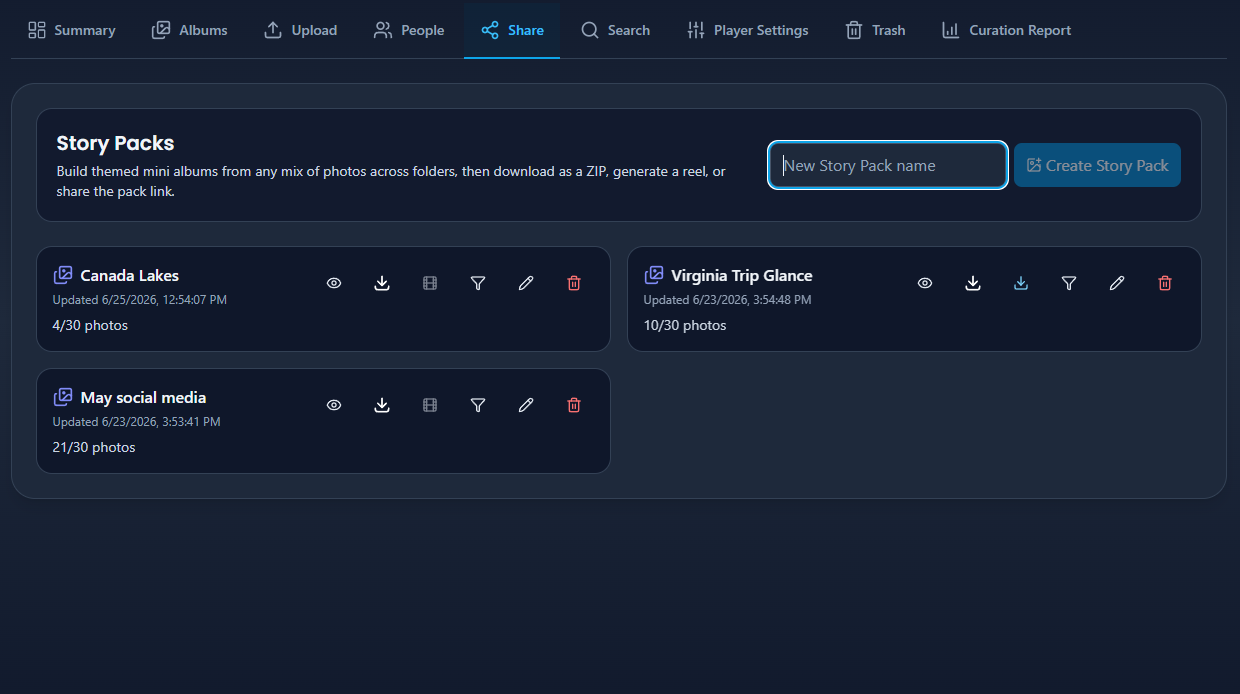
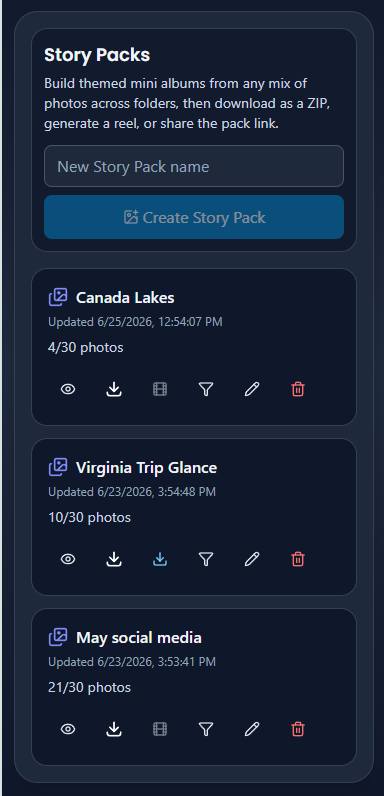
Create a Story Pack
Web and Android:
- Open Library → Share.
- Enter a pack name (up to 80 characters) and create the pack.
- A hint banner reminds you to add photos from Albums.


Add photos to a pack
Web:
- Open Albums.
- Select one or more photos.
- Right-click and choose Add to Story Pack.
- Pick an existing pack or create a new one inline.
Android app:
Use the photo context menu or overflow actions the same way.

Your plan may cap how many photos each pack can hold.
Story Pack toolbar
Each pack has a toolbar. From left to right on desktop:
| Button | What it does |
|---|---|
| View | Open the pack in a grid modal, then the Photo Viewer |
| Download | Save the pack as a ZIP (needs at least 6 photos) |
| Reel | Create a short video reel (needs at least 5 photos); becomes Download when ready |
| Filter | Save as a Player Settings filter for View |
| Edit | Rename the pack |
| Delete | Remove the pack only - originals in Albums stay untouched |
View a Story Pack
Tap View to open a modal grid of every photo in the pack. Filter by filename or album name, then click or tap a photo to open the Photo Viewer.

Download and sync
Web (desktop, laptop, or mobile browser):
- Download saves the Story Pack as a ZIP archive.
- ZIP download requires at least 6 photos in the pack.
- Daily download limits depend on your plan.
Android app:
- Long-press a Story Pack card and choose Sync to device.
- Eyedeea downloads pack photos to your native gallery for offline viewing.
- Re-syncing updates photos without creating duplicates.

Unlike many big platforms, exports keep your album organization - not a flat dump of unrelated files.
Reels
Generate a short video reel from a Story Pack with at least 5 photos. Processing runs in the background; the Reel button pulses when the video is ready, then changes to a blue Download button.
Reel creation is an experimental feature - quality and style may change over time.

Save as filter
Tap Filter on a Story Pack to save it as a Story Pack filter in Player Settings. Activate that filter and View plays only photos from the pack across every device in your household.
Owners with Global Filter permission can create filters visible to all members.
Web and Android
| Action | Web | Android app |
|---|---|---|
| Create / rename / delete pack | Toolbar | Toolbar or long-press menu |
| Add photos from Albums | Right-click context menu | Context menu / overflow |
| Download ZIP | Toolbar | Toolbar |
| Sync to gallery | Not available | Sync to device on long-press |
Good to know
- Story Packs are private to your household until you export or sync them yourself.
- Deleting a pack removes only the collection - never the original photos in Albums.
- Combine Story Packs with View filters for living-room playback, then grab the same photos on your phone.
The living-room → phone moment
Picture this: a great photo appears on your TV slideshow (view-only app). You love it and want to post it. On your Android phone or laptop, open the full Library - same synchronized photos - and build a Story Pack or download the shot in seconds.