Plans & Subscriptions
Eyedeea Photos offers a free trial to explore the product, then paid plans when your library outgrows the starter limits. Subscriptions attach to your household - one bill covers storage, AI curation, and family members.
Start with the free tier, upload a batch, run Auto Curation, browse your Library, and open View. Upgrade when you are ready - not before you have seen the value.
On this page
- Free trial (7 days)
- Premium plans
- Payment
- Change payment method
- What counts against your quota
- Upgrading and canceling
- Transparency
- Household connection
Free trial (7 days)
The free tier lets you evaluate Eyedeea Photos before subscribing.
- Storage: 200 MB included
- Uploads: up to 300 photos per subscription period
- No hard per-file size cap - quota is based on total bytes used
- Most core features included so you can experience the full workflow
Trial tips
For the best trial experience:
- Compress photos to about 700 KB each when possible.
- You can typically upload up to 300 compressed photos, or around 50 high-resolution originals.
- The 700 KB figure is guidance only, not a hard limit.
Premium plans
Subscribe on the website (desktop or laptop) for higher storage, more uploads, full AI curation, and more family seats. After checkout you land in the Library on web - also available on the Android app, but not on view-only TV apps.
| Plan | Storage | Highlights |
|---|---|---|
| Cloud Studio | Up to 100 GB | Full AI curation, duplicate/blur/sensitive detection, face detection, Story Packs, Fire TV app, up to 5 family members |
| Cloud Pro | Up to 300 GB | Everything in Studio, plus collages and featured memories, higher download limits, priority support, up to 10 family members |
Visit eyedeeaphotos.com/pricing for current pricing.

Payment
Pay with Stripe on eyedeeaphotos.com (desktop or laptop). Billing is not available in the Android app or on TV.
The household owner manages billing. Members invited to the household do not need their own subscription.
Change payment method
If you subscribed on the website, the household owner can update the card on file from Settings on web.
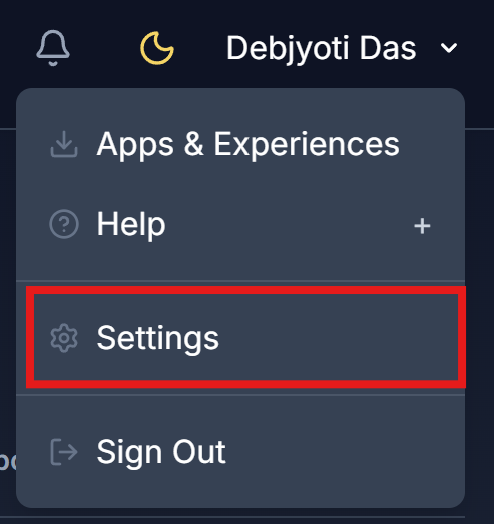
- Open the user menu (your name in the top bar) and choose Settings.
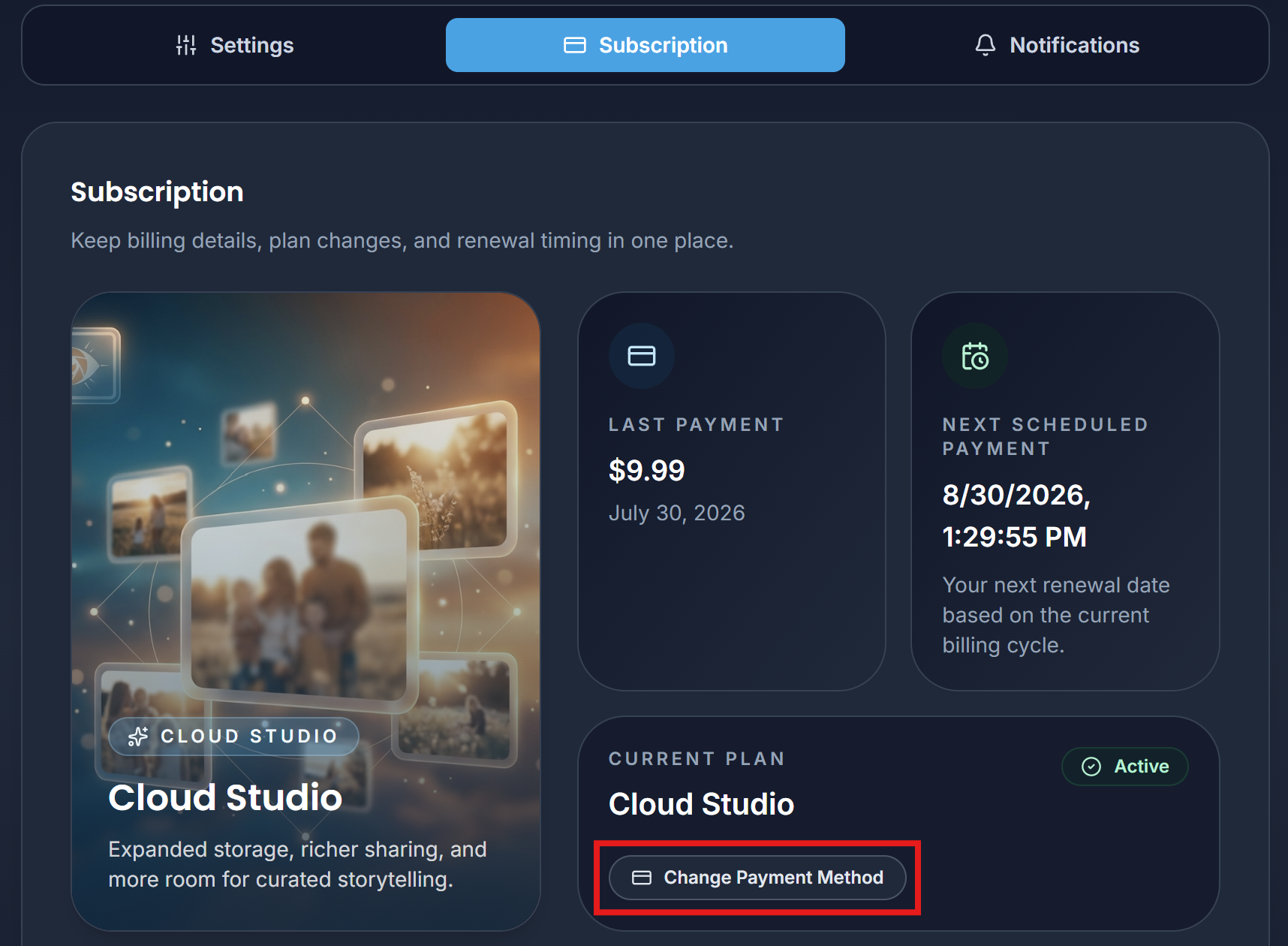
- Open the Subscription tab.
- Click Change Payment Method.
- Follow the on-screen steps to update your card, then return to Eyedeea Photos when you are done.
What counts against your quota
- Storage is measured in total bytes - not photo count alone.
- Upload limits may also track photo count per billing period.
- Download limits apply per day on paid tiers (e.g. 500 MB/day on Studio, 1 GB/day on Pro).
Your Library Summary shows usage so there are no surprises.
Upgrading and canceling
- Upgrade anytime from the pricing page or in-app prompts when you hit a limit.
- Cancel through Stripe on the website; access continues until the end of the paid period.
- Downgrades take effect at renewal - export anything you need first.
Transparency
Actual photo count depends on file sizes. Storage enforcement uses total bytes, not photo count alone.
Many users find that 300 GB is enough for a lifetime of photos once duplicates and blurry shots are removed - because curation matters more than raw megapixels.
Household connection
Subscriptions belong to the household, not an individual user. When you invite family, they share your plan’s storage and features. See Household for invites and permissions.